
Top Picks in Slots


















Popular Games at Detective Slots






























- How to Access the Detective Slots Live Casino
- Choosing a Live Table
- What to Check Before Placing a Live Bet
- Minimum and Maximum Wagers
- Betting Windows and Accepted Wagers
- How a Detective Slots Live Casino Round Works
- Checking a Completed Round
- Using Bonuses on Live Dealer Games
- Playing Without a Promotion
- Playing Detective Slots Live Casino on Mobile
- Improving a Slow or Unstable Stream
- Deposits, Balances and Account Verification
- Cash and Bonus Balances
- Documents Used for Verification
- How to Fix Common Live Casino Problems
- What to Do After a Disconnection
- Getting Help From Detective Slots
- Staying in Control During Live Play
- Detective Slots Live Casino Questions
- Can I Try Live Casino Games for Free?
- Do I Need to Download an App?
- Can I Use a Welcome Bonus at a Live Table?
- Why Can I See a Table but Not Place a Bet?
- What Happens if My Internet Disconnects Mid-Round?
- How Do I Report an Incorrect Result?
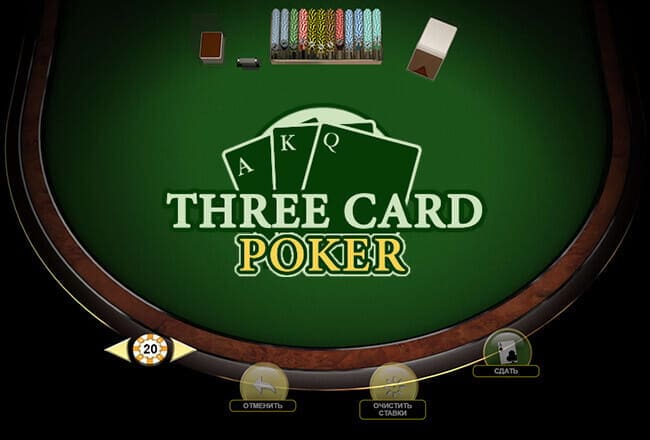
To play at the Detective Slots live casino, sign in to your account, open Games and enter the live casino area. Before joining a table, check its wager range, rules, betting status and your playable balance. The live interface then lets you place bets while watching each round unfold through a real-time dealer stream.
Canadian players can access the games through a desktop or mobile browser. A separate application is not required for mobile play.
How to Access the Detective Slots Live Casino
The quickest route starts from the main Detective Slots navigation. Existing players can log in with their codename and password, while new players need to create an account before using real-money features.
Follow these steps:
- Select Sign Up and complete the registration form using accurate personal and contact details.
- Confirm the account if an email code or another verification step is requested.
- Log in and open the Games section.
- Enter the live casino area in the game lobby.
- Choose a game and inspect the table information before joining.
- Add funds through the Cashier if there is no playable balance.
- Select an allowed wager while the table is accepting bets.
Do not create a second account if you previously registered. Detective Slots permits one account per player, including when an earlier account has been closed. Account reactivation should be handled through support instead.
Choosing a Live Table
The first available table is not necessarily the best fit. Two tables offering the same game can use different wager ranges, optional bets or playing speeds. Read the information presented in the lobby and at the table itself.
Pay attention to:
- The minimum and maximum accepted wager
- Whether the table is open and accepting players
- The time remaining before betting closes
- The main game rules and payout information
- Optional side bets and their separate costs
- Your current cash and bonus balances
- Whether a seat is required or unlimited participation is supported
A crowded table does not normally change the mathematical result of a game, but it can affect the pace and visibility of player interaction. Beginners may find a slower table easier because there is more time to read the controls and confirm each wager.
What to Check Before Placing a Live Bet
A few seconds spent reading the table information can prevent most avoidable errors. In particular, confirm the wager range before selecting chips. A bet below the table minimum or above its maximum will not be accepted.
| Table detail | What it means | What to do |
|---|---|---|
| Wager range | The smallest and largest bet accepted at that table | Choose a table that suits both your balance and planned stake |
| Betting status | Shows whether wagers are currently open or closed | Submit the bet before the displayed window ends |
| Selected chip | The value applied when you tap a betting position | Recheck it before confirming multiple bets |
| Game rules | Explains the table variant, actions and settlement method | Read these before the first real-money round |
| Side bets | Optional wagers settled separately from the main bet | Review their rules and payouts before using them |
| Playable balance | Funds currently available for wagering | Check whether money is held as cash or restricted bonus funds |
| Round history | A record of recent completed results | Use it to identify a round, not to predict the next outcome |
Previous results do not influence the next independent round. Round history is useful when checking settlement or reporting a technical problem, but it does not show that a particular result is due.
Minimum and Maximum Wagers
The live interface only accepts stakes within the range assigned to the selected table. If a wager is rejected, first check the table minimum, the selected chip value and the available balance. Moving to another table is usually simpler than repeatedly trying to submit an unsupported amount.
Maximum limits matter even when placing several smaller chips. The interface may calculate the total wager across the main position and any side bets. Check the complete amount before betting closes rather than looking only at the value of one chip.
Betting Windows and Accepted Wagers
Every live round has a defined betting period. Once the dealer or system closes betting, new wagers and changes are blocked until the next round. Place the bet early enough to confirm that it appears on the layout and has been deducted or reserved from the playable balance.
If the timer reaches zero while the interface is still processing an action, do not assume the bet was accepted. Check the table display and balance before trying again in the next round.
How a Detective Slots Live Casino Round Works
Live casino play combines a video stream with digital betting controls. The dealer manages the cards, wheel or other physical game equipment on camera, while the interface records wagers and settles completed rounds through the player’s account.
A typical round follows this sequence:
- The table opens its betting window.
- You select a chip value and place it on an eligible position.
- The interface confirms the total wager.
- Betting closes and no further changes are accepted.
- The dealer completes the round.
- The result is displayed and qualifying returns are credited to the balance.
- The next betting window opens.
The controls vary by game. A card table may provide decisions such as hit, stand or double, while roulette asks the player to place chips directly on the layout. Always use the table’s own instructions because variants can handle actions, payouts and optional bets differently.
Checking a Completed Round
Once the result is declared, look at the balance and any available round history. A winning outcome should be settled through the game interface, while a losing stake remains deducted.
If the result is not reflected as expected, avoid placing the same wager again in an attempt to correct it. Record the game name, table, approximate time, wager and visible result. Screenshots are also useful when the problem needs to be investigated by support.
Using Bonuses on Live Dealer Games
Do not assume that a Detective Slots bonus can be used at a live table. General promotional rules restrict live dealer wagering for several bonus and cashback arrangements unless the terms attached to the individual offer say otherwise.
This distinction matters because a live dealer wager may:
- Be excluded from wagering progress
- Make a deposit ineligible for cashback
- Breach the game restrictions attached to a promotion
- Affect winnings connected to restricted bonus play
Open the active promotion and check its eligible games before transferring or wagering bonus-related funds in the live casino. The individual offer conditions take priority over general assumptions about welcome bonuses, free chips, free spins or cashback.
Playing Without a Promotion
A bonus is not required to play for real money. You can fund the account through the Cashier without applying a promotional code, confirm that the money appears in the cash balance and then enter an eligible live table.
This is the more straightforward option for players who do not want wagering requirements or game restrictions attached to their funds. Deposit and withdrawal rules still apply, including the requirement to use your own payment method and complete any requested account checks.
Playing Detective Slots Live Casino on Mobile
Detective Slots supports browser-based play on smartphones and tablets. Open the website in a current mobile browser, log in and use the same Games area available on desktop. There is no need to install a separate app or download casino software.
Live tables transmit continuous video, so connection quality matters more than it does for many regular casino games. A brief delay can cause the betting window shown on the device to fall behind the active round.
Before playing on mobile:
- Use a stable private Wi-Fi or mobile-data connection.
- Close video streams, downloads and unused browser tabs.
- Allow the browser features required for the game to load.
- Keep enough battery power for the intended session.
- Confirm the selected chip and total wager on the smaller screen.
- Avoid switching repeatedly between apps while betting is open.
Landscape orientation may provide more room for the dealer stream, betting layout and table information. The best orientation still depends on the game interface and device screen.
Improving a Slow or Unstable Stream
If the dealer video freezes but the betting controls remain visible, stop placing new wagers until the table status is synchronized. Check whether the current round has already closed, then review the balance or history before refreshing.
For recurring problems, close unnecessary tabs, reconnect to a stable network and reopen the table. Clearing temporary browser data can help when a game repeatedly fails to load, although signing in again may be required afterwards. A content blocker, private browsing restriction or disabled cookie can also prevent the live interface from starting correctly.
Deposits, Balances and Account Verification
Real-money live play requires funds in the account’s playable balance. Detective Slots provides payment categories that include cards, e-wallets and cryptocurrencies such as Bitcoin, Ethereum and Litecoin. The Cashier displays the options currently available for the individual account.
Use this funding sequence:
- Log in and open the Cashier or deposit area.
- Choose one of the payment methods displayed.
- Review the applicable limits and provider charges.
- Enter the deposit amount.
- Complete any authentication requested by the payment provider.
- Wait for the transaction confirmation.
- Check that the funds appear in the playable balance before opening a table.
Deposits must come from a payment method belonging to the registered account holder. Third-party funding can lead to additional checks or account restrictions. Detective Slots does not charge a general deposit-processing fee, although a bank, wallet or network may impose its own charge.
Cash and Bonus Balances
A visible total balance does not always mean that every dollar can be used on every game. Part of it may be connected to a promotion with restricted-game conditions. Check the balance type and active bonus before entering live play.
When a deposit appears in the account but cannot be wagered, return to the Cashier and transaction history first. Confirm that the transaction completed successfully and that the funds were credited to the playable balance rather than remaining pending.
Documents Used for Verification
Detective Slots may request identity and payment checks, particularly when processing a withdrawal. Commonly requested records include:
- A valid government-issued photo ID, such as a passport or driver’s licence
- A recent utility bill, bank statement or official document showing the registered residential address
- Evidence that the card, wallet or other payment method belongs to the account holder
Proof of address should show the same name and address used on the casino account and be dated within the previous three months. When submitting card evidence, cover sensitive details that are not required for verification and follow the secure instructions provided by support.
How to Fix Common Live Casino Problems
Most problems fall into one of four groups: the stream is delayed, the game will not load, the wager is rejected or a completed round is not reflected correctly.
| Problem | Likely cause | Practical response |
|---|---|---|
| Dealer stream freezes | Unstable connection or competing browser activity | Stop betting, check the round status, close background activity and reconnect |
| Table remains on a loading screen | Browser data, blocked cookies or session error | Reopen the game, review browser permissions and sign in again if needed |
| Bet is rejected | Closed timer, unsupported stake or insufficient playable funds | Check the table status, wager range and selected balance |
| Controls are inactive | Betting is closed or the table session has lost synchronization | Wait for the next round or reopen the table |
| Deposit is visible but unusable | Funds may be pending or attached to a restricted balance | Check the Cashier, transaction status and active promotion |
| Connection drops after betting | The round may continue at the live table | Reconnect and inspect the balance and round history before betting again |
| Result is missing | Settlement may require account-level review | Save the round details and contact support |
What to Do After a Disconnection
A connection failure on the player’s device does not necessarily stop the table itself. If a confirmed wager was already accepted, the round may continue and settle while the video is unavailable.
Use this recovery order:
- Reconnect without placing a duplicate wager.
- Check the playable balance.
- Open the available game or transaction history.
- Note the table, approximate time and stake.
- Take screenshots of any inconsistent information.
- Contact support if the round cannot be identified or the balance remains incorrect.
This sequence gives the support team enough detail to locate the transaction while reducing the risk of accidentally wagering twice.
Getting Help From Detective Slots
Detective Slots provides live chat and email support, with assistance available around the clock. Live chat is suitable for loading, login, balance and table-access issues. Email is useful when the case requires screenshots or a longer explanation.
A useful support request should include the account codename, game and table name, approximate round time, wager amount, device type and a clear description of what occurred. Never send a password or complete card details in a support message.
Staying in Control During Live Play
Live tables run continuously, which can make sessions feel faster than ordinary turn-based games. Decide on a budget and stopping point before opening a table rather than making those decisions after several rounds.
Detective Slots allows players to request daily, weekly or monthly deposit limits. Support can also assist with taking a break, self-exclusion or permanent account closure. Promotional messages and newsletters can be turned off if they make it harder to maintain a planned break.
A simple session routine is:
- Set the maximum amount you are prepared to spend.
- Choose a table whose minimum wager supports that budget.
- Avoid increasing stakes to recover a previous loss.
- Check the clock and balance at planned intervals.
- Stop when the chosen time or spending limit is reached.
Detective Slots Live Casino Questions
Can I Try Live Casino Games for Free?
Detective Slots provides demo play for many casino games, using virtual credits that cannot be withdrawn. If a live table offers a practice option, it will be displayed in the current lobby or game interface. Real-money tables require an account balance.
Do I Need to Download an App?
No separate app is required. Canadian players can open Detective Slots in a mobile browser, log in and enter the live casino through the Games section.
Can I Use a Welcome Bonus at a Live Table?
Only when the conditions of that specific promotion permit live dealer wagering. General Detective Slots bonus rules restrict live dealer games for several promotions, so check eligible games before placing a bet.
Why Can I See a Table but Not Place a Bet?
Betting may already be closed, the selected stake may fall outside the table range, the playable balance may be insufficient or the session may need to reconnect. Check those four points before moving to another table.
What Happens if My Internet Disconnects Mid-Round?
A wager confirmed before the disconnection may still be settled. Reconnect, inspect the account balance and check any available round history. Do not place a replacement bet until you know what happened to the original one.
How Do I Report an Incorrect Result?
Record the game, table, approximate time, wager and displayed result. Check the balance and transaction history, capture screenshots where possible, and submit the information through live chat or email support.

Bonus Collection September 2026